Farcaster sign-in with Embedded Wallets
Farcaster sign-in lets users authenticate with a Farcaster identity. Use the default connection hosted by Embedded Wallets.
This page documents the default connectTo path (AUTH_CONNECTION.FARCASTER).
Embedded Wallets doesn't provide a dashboard Client ID field for Farcaster, and this guide doesn't
document a custom Auth0, Firebase, or Cognito path.
Default Farcaster sign-in
The default connection uses the Farcaster credentials managed by Embedded Wallets.
Caveats
- The Farcaster authorization identifies the application managed by Embedded Wallets, not your dapp.
- You can't change the Farcaster application configuration, because you don't own the credentials.
- Switching away from the default Farcaster connection later produces a different wallet address for the same person.
Configure the default connection
- Open your project in the MetaMask Developer Dashboard.
- Select Social Connections.
- Enable Farcaster.
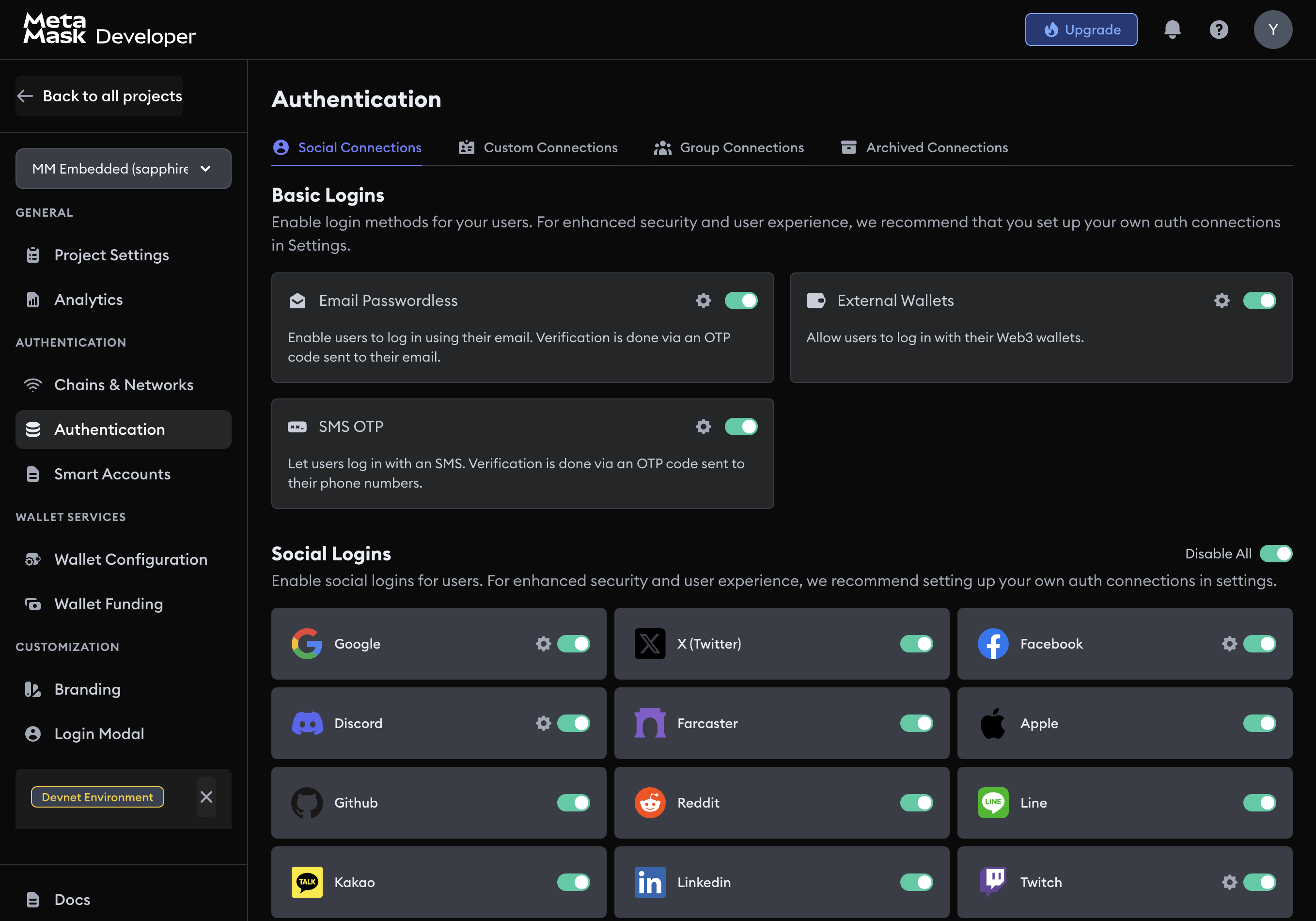
The SDK reads the connection from the dashboard. You don't need to add Farcaster credentials to your SDK configuration.
Group Farcaster connections
A group connection gives the same person one wallet address across several login methods.
Only group Farcaster with another connection when both resolve to the same JWT user identifier. Don't assume a Farcaster FID matches a Google or email identifier.
Usage examples
Default implicit flow
- React
- Vue
- JavaScript
- React Native
- Android
- iOS
- Flutter
import { AUTH_CONNECTION, WALLET_CONNECTORS } from '@web3auth/modal'
import { useWeb3AuthConnect } from '@web3auth/modal/react'

const { connectTo } = useWeb3AuthConnect()

await connectTo(WALLET_CONNECTORS.AUTH, {
  authConnection: AUTH_CONNECTION.FARCASTER,
})
import { AUTH_CONNECTION, WALLET_CONNECTORS } from '@web3auth/modal'
import { useWeb3AuthConnect } from '@web3auth/modal/vue'

const { connectTo } = useWeb3AuthConnect()

await connectTo(WALLET_CONNECTORS.AUTH, {
  authConnection: AUTH_CONNECTION.FARCASTER,
})
import { AUTH_CONNECTION, WALLET_CONNECTORS } from '@web3auth/modal'

await web3auth.connectTo(WALLET_CONNECTORS.AUTH, {
  authConnection: AUTH_CONNECTION.FARCASTER,
})
import { AUTH_CONNECTION, useWeb3AuthConnect } from '@web3auth/react-native-sdk'

const { connectTo } = useWeb3AuthConnect()

await connectTo({
  authConnection: AUTH_CONNECTION.FARCASTER,
})
val response = web3Auth.connectTo(
  LoginParams(AuthConnection.FARCASTER)
)
let response = try await web3Auth.connectTo(
    loginParams: LoginParams(authConnection: .FARCASTER)
)
final response = await Web3AuthFlutter.login(
  LoginParams(loginProvider: Provider.farcaster),
);